

From version 2023.2 on it is possible to access a tab to display Data Lineage as a Data Flow.
Supported Object Types
Data Lineage can be displayed for the following object types:
SAP BW:
-
Queries
-
Calculated Key Figures
-
Restricted Key Figures
SAC:
-
Stories
-
Analytic Applications
Navigation in the Data Flow
Compressed View
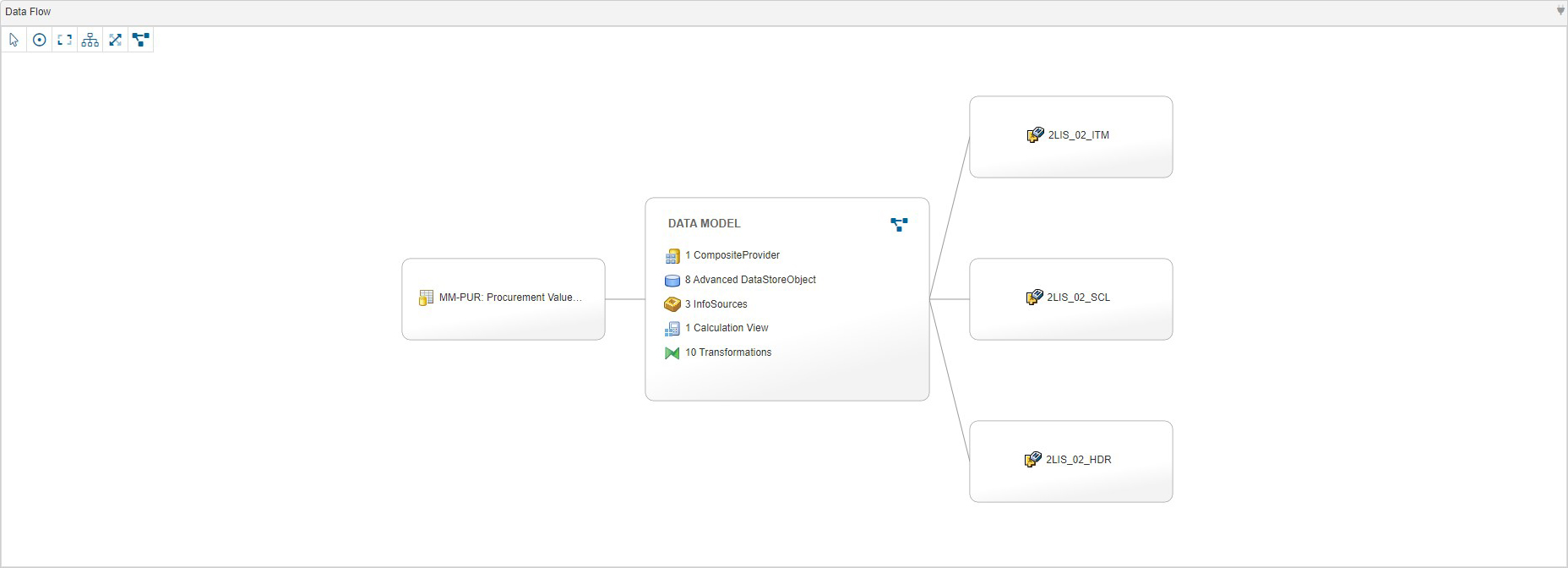
Initially, the Data Flow is displayed in a compressed view where elements between the start and end points are listed in a summary.
Expanded View
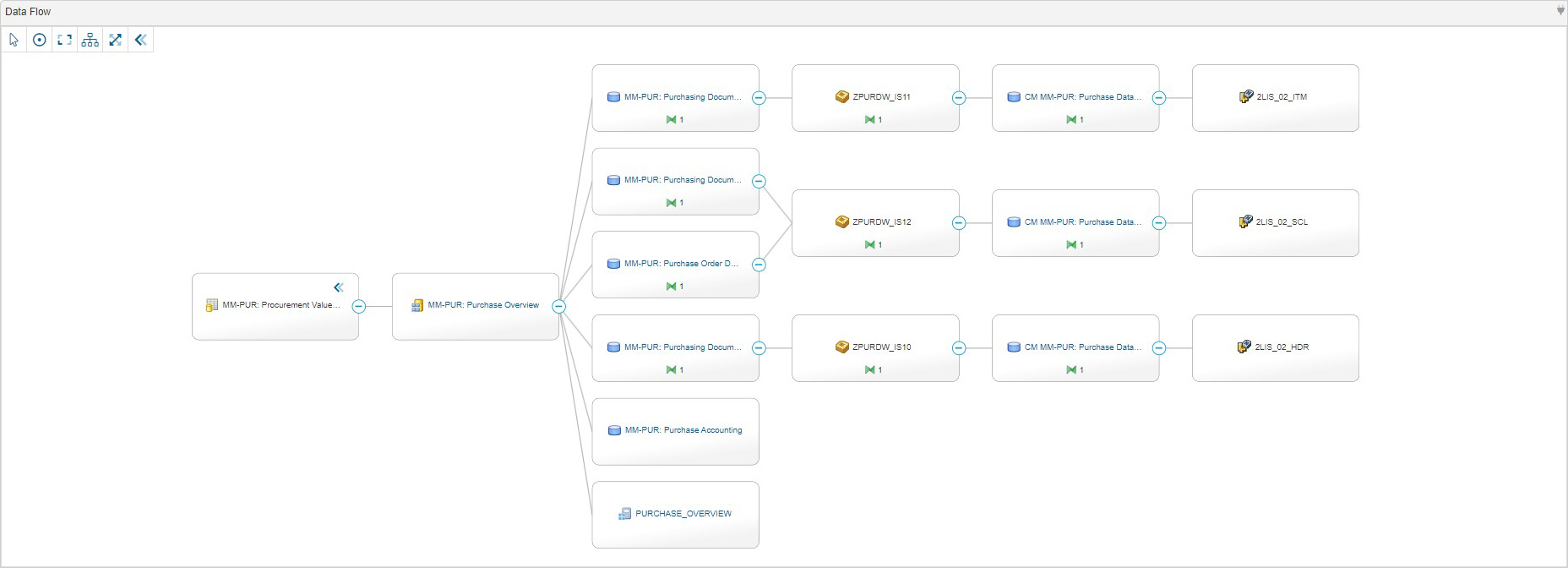
You can expand the view to display all the elements of the Data Flow.
Controls

|
Use this control to select and move elements in the Data Flow. |

|
Use this control to center the Data Flow. |

|
Use this control to fit the Data Flow in the available space. |

|
Use this control to change the display of the Data Flow to a vertical orientation. |

|
Use this control to change the display of the Data Flow to a horizontal orientation. |

|
Use this control to enter the fullscreen mode. |

|
Use this control to exit the fullscreen mode. |

|
Use this control to display the expanded view of the Data Flow. |

|
Use this control to display the compressed view of the Data Flow. |