

From version 2024.1 on it is possible to access a tab to display Driver Trees for Reusable Key Figures.
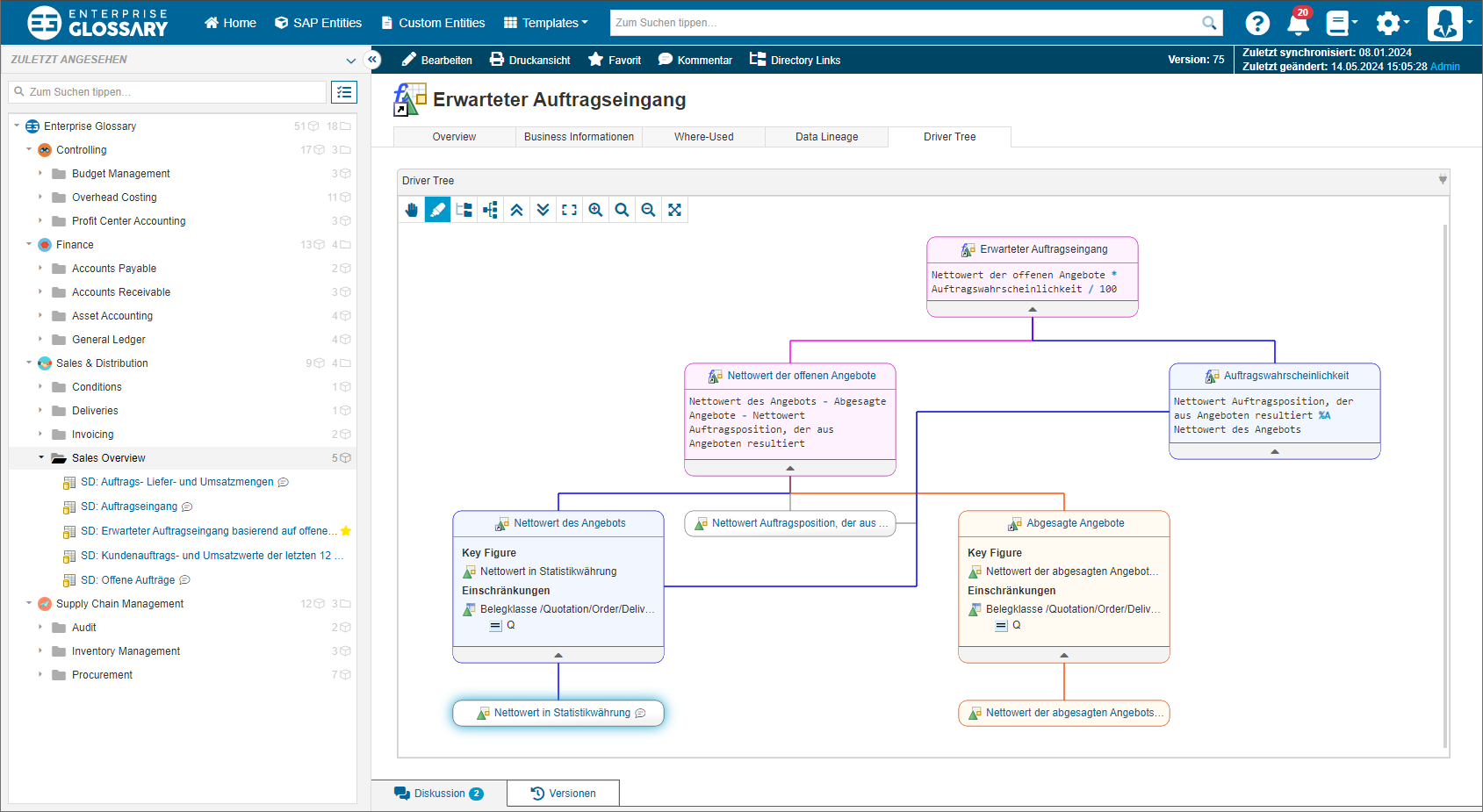
Supported Object Types
Driver Trees can be displayed for the following object types:
SAP BW:
-
Calculated Key Figures
-
Restricted Key Figures
-
Local Formulas of Queries
-
Local Selections of Queries
If you do not see a tab for the Driver Tree, you might have to add the tab in the corresponding SAP Template.
Controls

|
Use this control to select and move elements in the Driver Tree. |

|
Use this control to drag the Driver Tree. |

|
Use this control to select and highlight parts of the Driver Tree. There are two stages: hover will highlight in orange color. Selecting a node will highlight in blue color until the selected node is unselected. Nodes that are part of the orange and blue highlight are displayed in purple. |

|
Use this control to hange the display of the Driver Tree to a vertical orientation. |

|
Use this control to change the display of the Driver Tree to a horizontal orientation. |

|
Use this control to collapse all nodes of the Driver Tree. |

|
Use this control to expand all nodes of the Driver Tree. |

|
Use this control to fit the complete Driver Tree graph into the available area. |

|
Use this control to increase the zoom level. |

|
Use this control to apply the default zoom level. |

|
Use this control to decrease the zoom level. |

|
Use this control to enter the fullscreen mode. |

|
Use this control to exit the fullscreen mode. |