

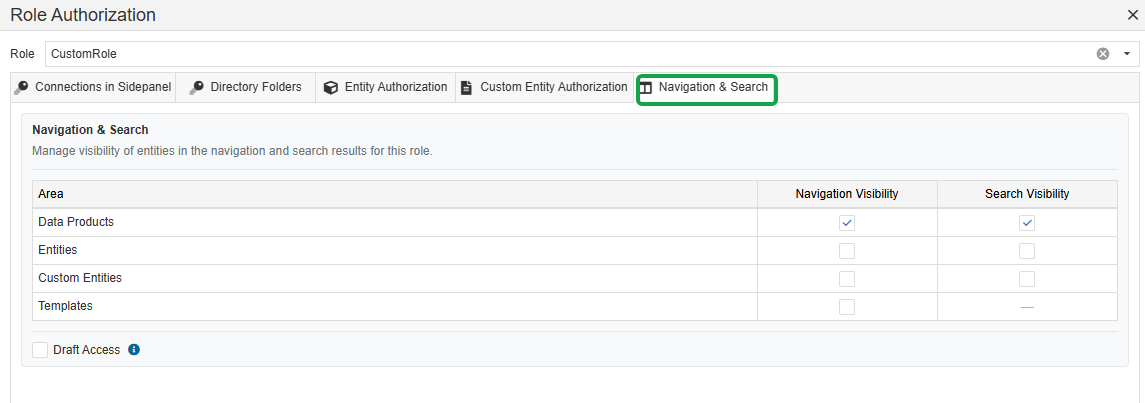
The Navigation & Search tab allows you to define which entity types a user is allowed to access in the Enterprise Glossary.
The settings control both the visibility of menu items in the top navigation bar and the entity types that are available in the search.
Navigation
The following menu items in the top navigation bar can be enabled or disabled for a role:
-
Data Products
-
Entities
-
Custom Entities
-
Templates
Users only see the menu items that are enabled for their assigned role.
Search
The Navigation & Search settings also determine which entity types are included in the search results. This allows you to restrict users to specific types of entities, regardless of whether they are available through the navigation menu.
For example, if Custom Entities are disabled for a role, users with this role will not see Custom Entities in the search results.
Draft Access
In addition, the role can be configured to determine whether users have access to Drafts.
If Draft access is enabled, users can view entities and content that are currently in draft status. If it is disabled, draft content is not available to the user.