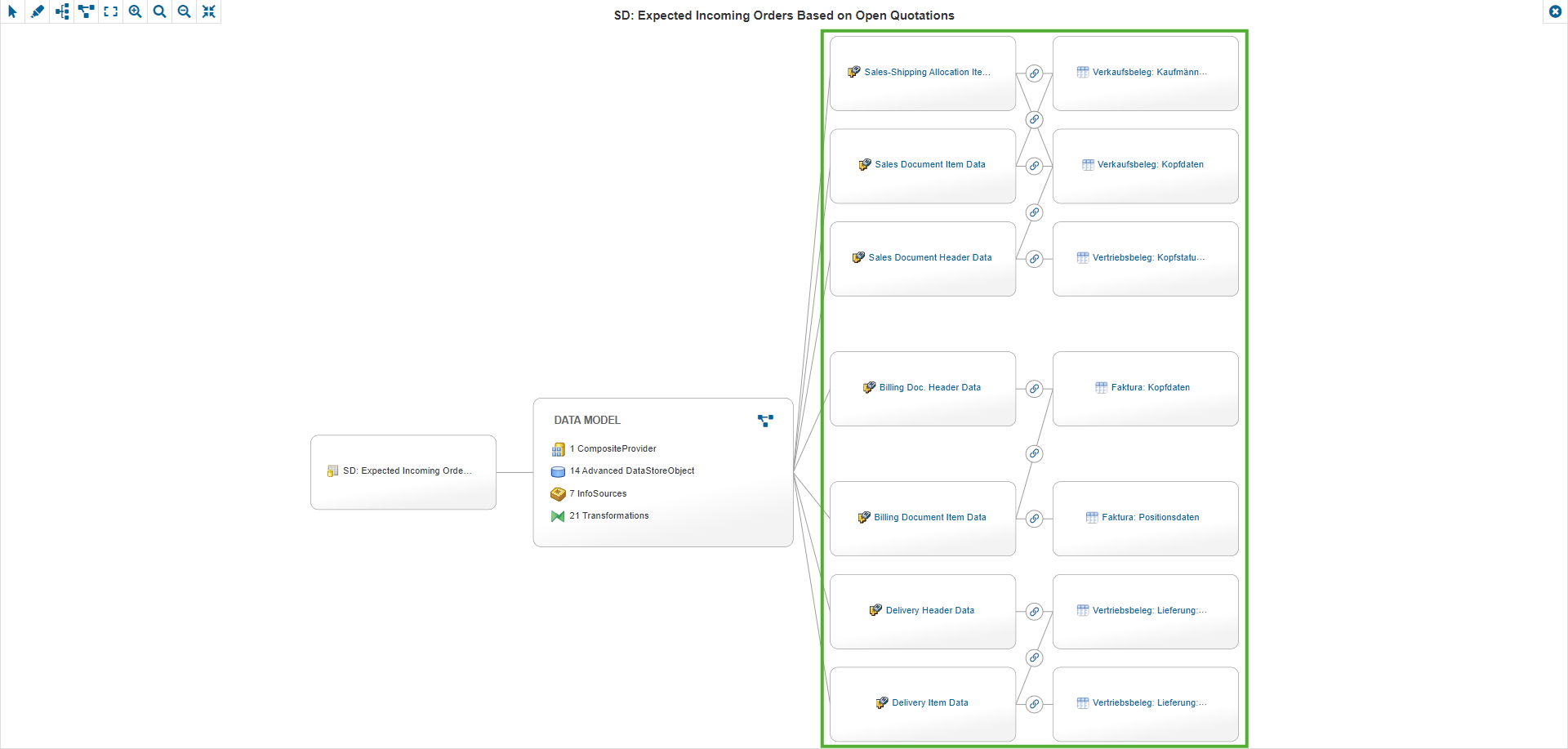
Linked Entities
In the Linked Entities tab, relations between entities can be maintained manually, when they cannot be read automatically from the system. To maintain the connection between the entities, the tab “Linked Entities” can be activated when editing both Entities and Custom Entities, and the links to related entities can then be added. This way, relations that cannot be read from the system can be displayed, like cross-references to Entities or relations to non-SAP objects maintained as Custom Entities.
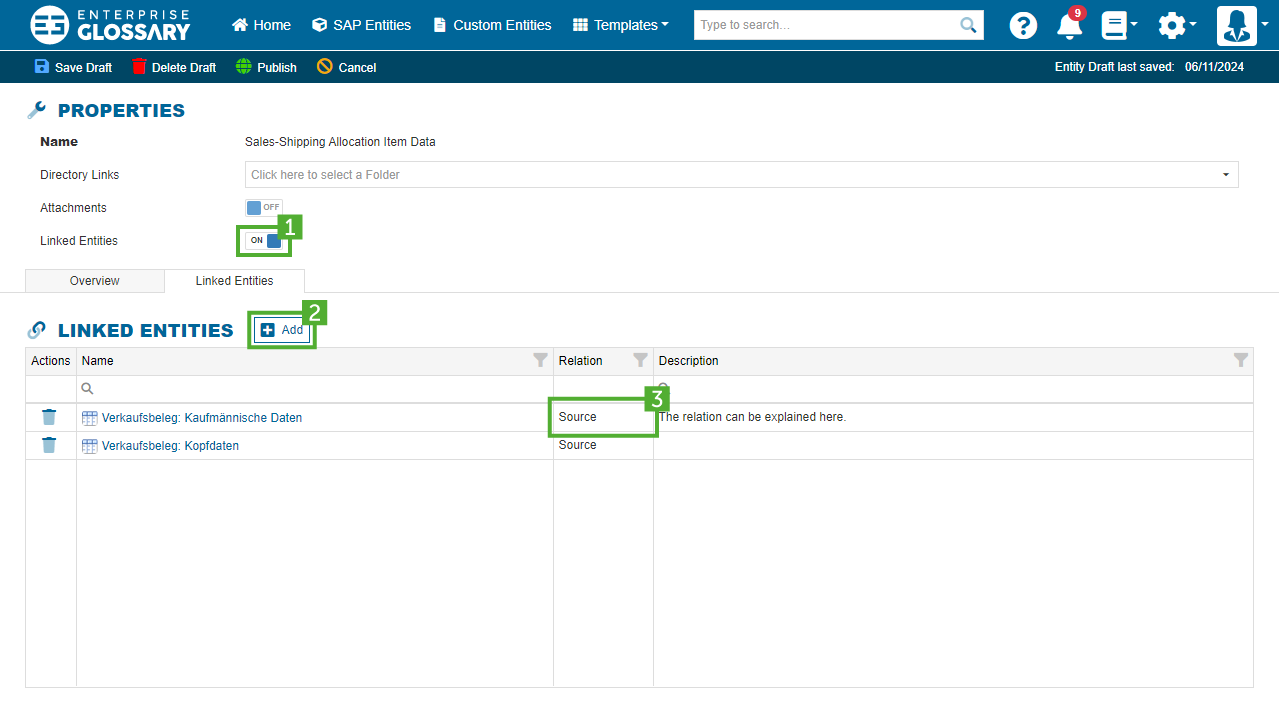
It can be selected if the linked entity is a source or target of the edited entity, or if another type of relation exists. The relation can be described in more detail with a comment. All new creations, edits, and deletions will automatically be made for both linked entities.
Stitching
If the relation types Source or Target are selected, the entities will also be included in the Data Lineage of the linked entities. This way, it is possible to manually stitch Data Lineage trees together when the connection cannot be made automatically.