

To access the SAC system, an OAuth client has to be created in your SAC.
Your SAC > System > Administration > App Integration > Add a New OAuth Client
Create an OAuth Client with the Purpose "API Access" and Authorization Grant “Client Credentials”.
Under Access check the following options:
-
Story Listing
-
Resource Permissions
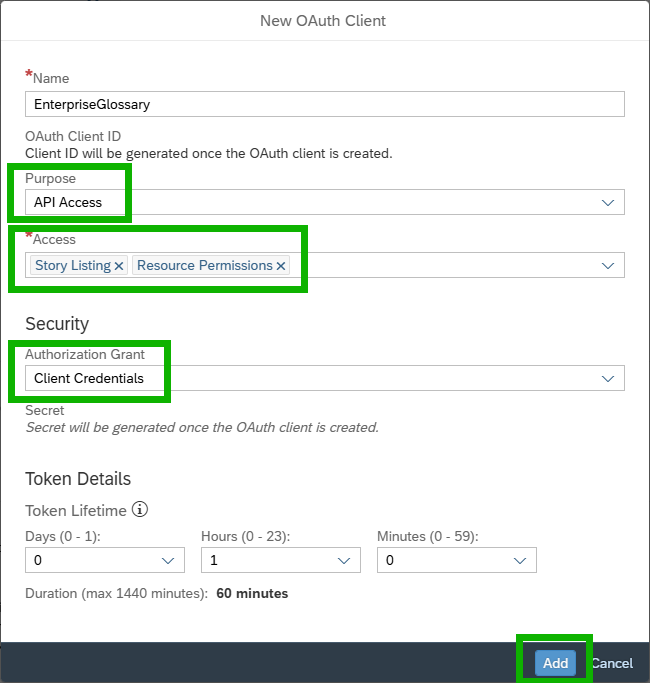
Once all the settings are done, add the client.
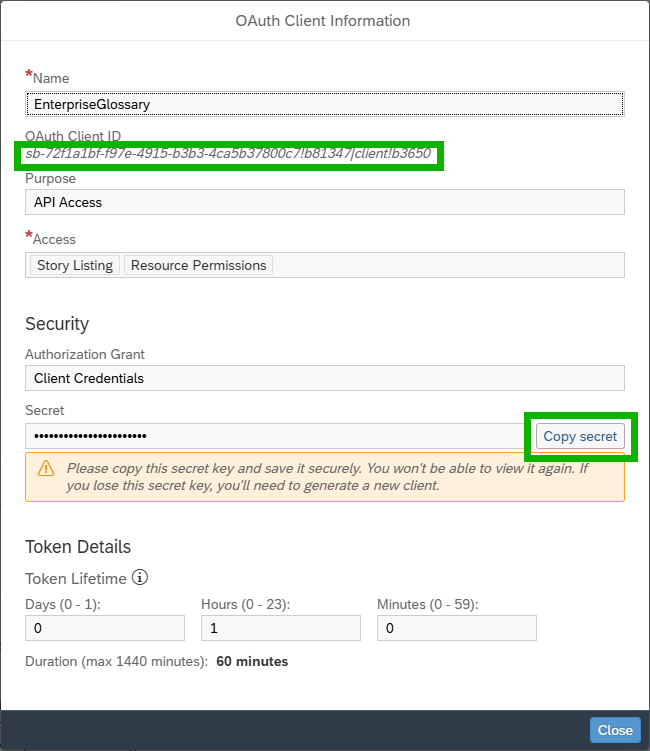
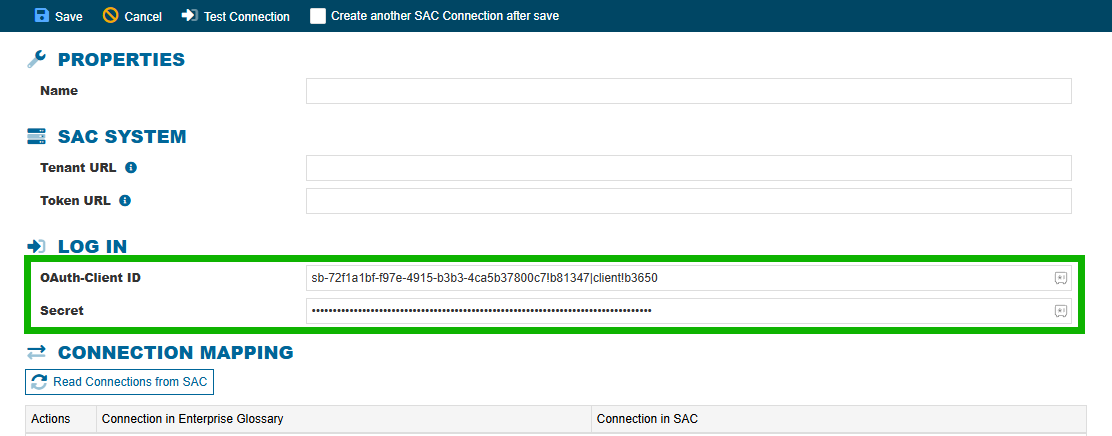
Copy the OAuth Client ID and the Secret and paste them in the connection in Enterprise Glossary and add the remaining connection parameters.
Learn more: SAP blog article