

For selected catalog entity types, data can be accessed directly:
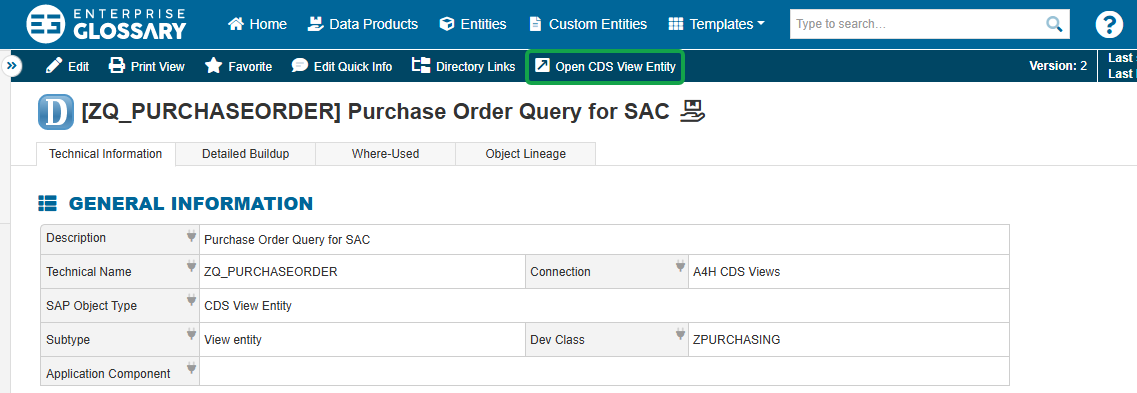
The available access method depends on the object type and the configured connectors.
For some connectors, you have to configure the SAP Connections in order to display the “Open Entity” button.
|
Object Type |
Access Method |
Necessary Configurations |
|
SAC Stories |
Open directly in SAP Analytics Cloud |
Nothing |
|
SAC Analytic Applications |
Open directly in SAP Analytics Cloud |
Nothing |
|
BW Queries |
|
|
|
BW ADSO |
Open in the SAC Analyzer |
|
|
BW Composite Provider |
Open in the SAC Analyzer |
|
|
CDS Views |
Open in the SAC Analyzer |
|
|
CDS View Entities |
Open in the SAC Analyzer |
|
|
BO Reports |
Open via an Analysis for Office Excel Launch File |
Nothing |
|
Power BI Entities |
Open directly in Power BI without any additional configuration |
Nothing |
Access via SAP Analytics Cloud
If an SAP Analytics Cloud connector is configured, the corresponding catalog entries can be opened directly in SAP Analytics Cloud.
SAC Stories and Analytic Applications are opened directly in the respective SAC application, while Providers, such as ADSOs and CompositeProviders, and CDS Views can be opened in the SAC Analyzer.
Make sure to assign the SAC connector to the BW or S/4 connector:
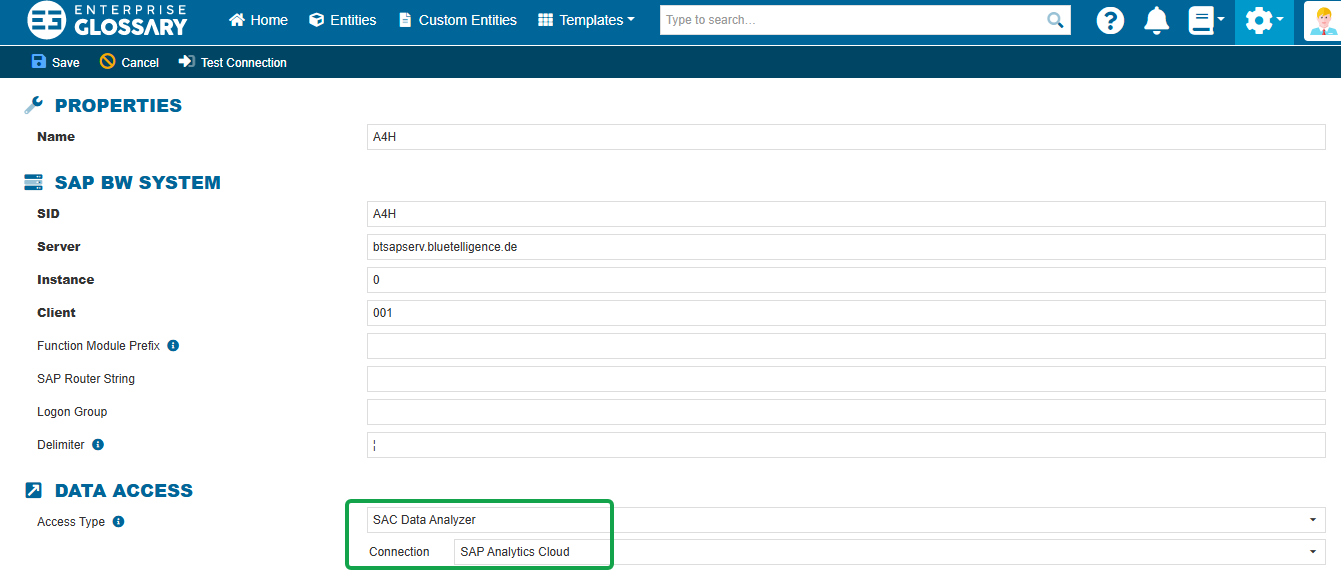
SAC Data Analyzer is only available if at least one SAC connection has been created in the Enterprise Glossary.
Access via Analysis for Office
BW Queries and BusinessObjects entries can be opened using an Analysis for Office Excel Launch File. This allows the corresponding data to be opened directly in Microsoft Excel.
Make sure to configure the access type:

The HTTPS port is required to download Queries as Analysis Office Excel Launchfiles.
Access to Power BI
Power BI entities can be opened directly in Microsoft Power BI. No additional configuration is required for this access method.